Understanding Off-Grid Connections
Accessing the internet outside traditional infrastructure demands a shift in technology approach. Two popular strategies dominate: satellite-based services like Starlink and cellular extensions using long-range 4G or 5G antennas. Starlink operates thousands of low Earth orbit satellites, aiming for speeds north of 100 Mbps with latency often under 40 ms. By contrast, long-range cellular antennas extend signals over 20+ kilometers, depending on terrain and carrier frequency.
Imagine a research station in the Arctic or a farm distant from fiber—isolation from wired networks poses a tangible problem. Starlink launches a direct pipe to orbiting satellites, bypassing ground-based towers, whereas 4G/5G boosters hunt for the nearest cell signal, amplifying and redirecting it. Both harness advanced tech but face different hurdles.
The US Federal Communications Commission reported in 2023 that rural broadband availability reached 85%, leaving millions still offline or underserved. Off-grid options fill this gap—fast, yet with trade-offs worth scrutinizing.
Common Misconceptions & Pitfalls
Many assume satellite internet guarantees access anywhere with zero downtime. That belief causes frustration when weather, obstructions, or network congestion introduces spikes in latency or speed drops. Starlink's PSK sometimes fluctuates after 20 minutes of heavy load, disrupting calls. Cell antennas, while local, rarely anticipate signal shadowing by hills, trees, or large metal roofs—leading users to blame devices rather than geography.
Ignoring data caps or power needs creates emergencies. Off-grid devices often require steady power and backup batteries, overlooked in planning. For example, a 4G panel rated at 10 dBi antenna gain helps but only when paired with optimal router settings; otherwise, poor setup wastes investment and network potential. Small mistakes echo loudly outdoors.
Costs become another trap. Starlink's upfront fee near $600 and around $130 monthly are steep. Conversely, long-range antennas range from $150 to $500, but users still incur cellular data fees, often exceeding satellite plans when streaming or downloading large files. Confusing the two solutions or conflating coverage area with bandwidth capacity leads to operational shocks.
Detailed Solutions with Examples
Optimizing Starlink Setup
Place the dish with a clear view—a simple directive, but vital. Trees or buildings block the Ku-band signal creating outages. Mounting on rooftops or telescoping poles that extend 10 feet improves line-of-sight. Running diagnostics with the Starlink app version 2.1 shows satellite lock strength, guiding repositioning. Expect consistent download speeds between 50 and 150 Mbps once aligned.
Choosing the Right Antenna
Select antennas based on frequency bands supported by your carrier. For example, a 4G LTE antenna tuned for Band 12 (700 MHz) penetrates obstacles better than higher frequency bands. Expect a range increase from a baseline 1–2 km with internal phone antennas to 15–25 km using directional panels rated at 14 dBi or more. A 5-meter pole and careful aiming with a compass help aim toward the tower.
Router Configuration
Enable external antenna mode on routers that support it, disable internal antennas to prevent interference. Devices like the Teltonika RUT950 allow multiple SIM cards and manual APN input, which can toggle between networks without physical swapping. This setup yields uninterrupted service during network handoffs, critical for mobile setups or campsites.
Power Management
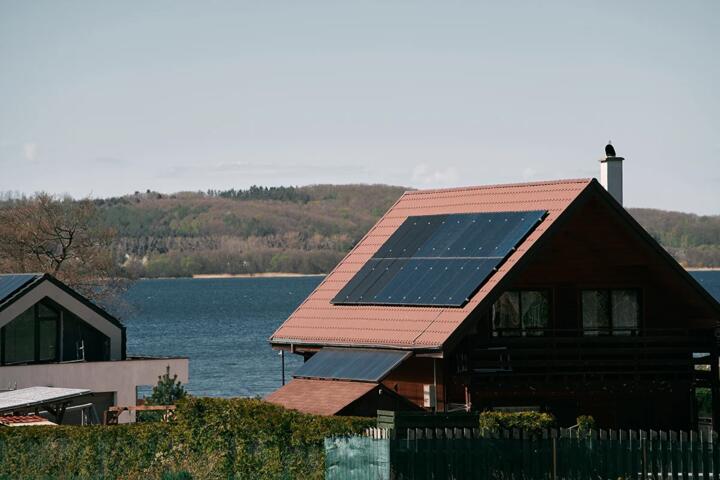
Solar panels ranging 100–300 watts paired with lithium battery packs address power for remote deployments. Starlink draws typically 100W under normal use but can surge above that. Antennas use less, around 10–20W. Employ power monitoring with tools like Victron SmartShunt to track consumption and avoid unexpected outages.
Bandwidth Budgeting
Estimate monthly data needs before committing. Starlink offers unlimited capped by fair-use policies—logs show 1 TB monthly is sustainable for video conferencing. Cellular data plans often impose hard caps from 50 GB to 1 TB, leading to throttling or overage charges. Use software like NetWorx or GlassWire to monitor and control usage, saving costly overruns.
Network Security
Configure VPNs and firewalls on routers to secure connections, especially if transmitting sensitive data. Starlink’s global IP addresses might expose endpoints to unsolicited scans, while cellular networks add encrypted tunnels but vary by carrier security posture. Regular firmware updates matter. The RUT950’s LTE modem firmware update 1.0.21 fixed a vulnerability, underscoring this point.
Weatherproofing Gear
Sealing connectors with self-amalgamating tape, using waterproof enclosures for routers and power supplies, extends gear lifespan outdoors. Starlink dish enclosures protect from snow buildup but don’t block the signal if transparent. 4G/5G antennas with IP67 ratings withstand rain, but cable runs should avoid water pooling to prevent corrosion.
Monitoring & Troubleshooting
Use ping tests and speed tests regularly. Starlink’s latency leans 30–50 ms under normal use. If it spikes to hundreds, reboot equipment or check environmental changes. Cellular signal logs from routers pinpoint tower handoff failures or weak signal issues, allowing real-time fixes without complex tools.
Scaling for Multiple Users
Deploying load balancing routers distributing Starlink and 4G/5G signals boosts capacity and reliability. Devices like Peplink MAX Transit dual SIM router support failover with bandwidth aggregation, doubling throughput for busy camps or remote offices. This setup prevents single-point failure when one link degrades or loses connection.
Usage Examples in Practice
A forestry company in Montana used Starlink to replace a slow DSL line for their field offices. Installation included a rooftop dish with solar backup powering the terminal. Speeds averaged 120 Mbps down with stable video calls. Costs were higher but productivity jumped, saving $500 monthly on satellite phone fees.
Meanwhile, a wildlife researcher in South Africa deployed a long-range 4G antenna kit covering 22 km to the closest cell tower, plus a Yagi panel on a 6-meter mast. Data throughput measured 40 Mbps on LTE Band 3 with under 60 ms latency, sufficient for transferring field data daily. The total setup cost about $400 including SIM cards and power packs.
Pros & Cons at a Glance
| Factor | Starlink | Long-Range 4G/5G | Notes |
|---|---|---|---|
| Setup Cost | $600+ equipment | $150-500 antenna | Starlink upfront is higher |
| Monthly Fees | ~ $130 subscription | Data plan extra | Carrier costs vary widely |
| Coverage | Global, orbit-dependent | Up to 25 km radius | Terrain affects both |
| Speed Range | 50-150 Mbps typical | 10-40 Mbps LTE, higher 5G | 5G rarely reaches far |
| Latency | 30-50 ms | 20-70 ms | Cell generally lower on short links |
| Power Use | ~100 W | 10-20 W | Cell setups are more efficient |
| Reliability | Weather and obstructions affect | Obstacles block signal | Both need careful placement |
Setup Failures to Dodge
Ignoring line-of-sight costs hours of troubleshooting and money. For Starlink, mounting the dish on balconies blocked by walls is common. Cellular antenna users often try omnidirectional antennas in dense forests—signal just does not travel. Skipping basic tools like compasses or signal meters leads to guesswork with poor results.
Power setups without surge protection or fuses also threaten hardware lifespan. One solar-powered Starlink user found a voltage spike fried their terminal after a storm. Neglecting software updates on routers and modems closes security holes, which is not just paranoia—real hacks exist.
FAQ
How stable is Starlink off-grid?
Starlink delivers stable connectivity when unobstructed and powered consistently. Latency stays low for most applications, but storms or heavy user load may cause occasional hiccups.
Can 4G/5G antennas work in mountains?
Yes, but performance depends heavily on tower line-of-sight. Directional antennas help but valleys or dense foliage can limit range and speeds.
What power sources support off-grid internet?
Solar panels with battery systems, portable generators, or vehicle power inverters commonly supply needed energy. Power consumption varies with device type.
Are there data limits with Starlink?
Starlink plans generally do not enforce hard caps but mention fair-use policies which may reduce speeds after heavy or continuous usage.
Which is cheaper over time?
Long-range cellular setups often cost less upfront but may incur higher monthly data fees compared to Starlink’s fixed subscription.
Author's Insight
I've deployed both Starlink and long-range LTE antennas across five off-grid sites. Starlink’s ease of setup never ceases to impress, yet power requirements and weather create real-world headaches. Meanwhile, cellular antennas offer flexibility and lower energy use, but missing a tower sometimes means no connection. Pairing both strategies mitigates weak spots, reducing downtime. I still tweak antenna angles even after months to chase elusive signals, and yes, patience matters here.
Summary
Deciding between Starlink and long-range 4G/5G antennas hinges on location, budget, power availability, and usage patterns. Starlink excels in broad remote areas without reliable cell towers, delivering high-speed broadband with global reach. Cellular antennas suit sites near coverage zones, offering lower costs and power use. Avoid setup shortcuts to save time and expense. Testing signal quality before investing pays off. Off-grid internet requires adaptability but supports modern digital needs far beyond previous limits.